Connect. Check. Decide.
How the product works, screen by screen: one connection to the project, checks that end in a verdict, and evidence on every finding. No module tour, just the three jobs an engineer has.
Most software for construction is organised by what it can do: a module for models, a module for documents, a module for checks. Ours is organised by the work an engineer has to get done. There are three jobs: find something out about the project, catch up after being away, and check whether what was planned is allowed. Everything below is one of those three, and every screen ends in something an engineer can sign. Here is how it works, in the order a project meets it.
One connection, no second filing system
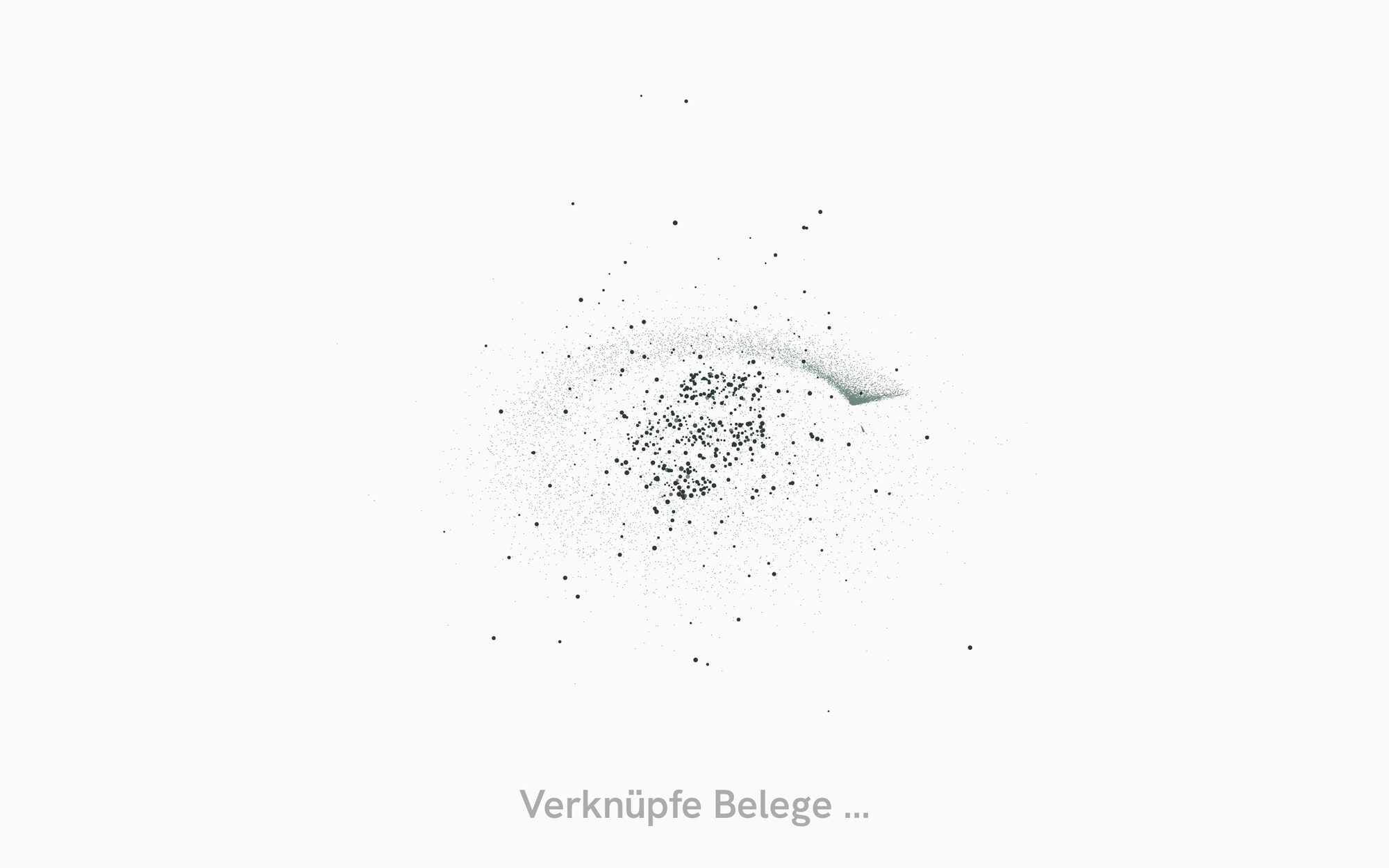
The first thing that happens is not a form. The system connects to where the project already lives, the document library the office uses every day, and reads what is there. Nothing is copied into a new store and nothing has to be sorted first. For fifteen to twenty seconds the screen shows what is being understood: the rooms, components, people and processes it recognises, the relations between them, which regulations follow from what it found, and the graph assembling out of those three strands. Then it says one sentence: your project has been understood.
Three jobs, one question box
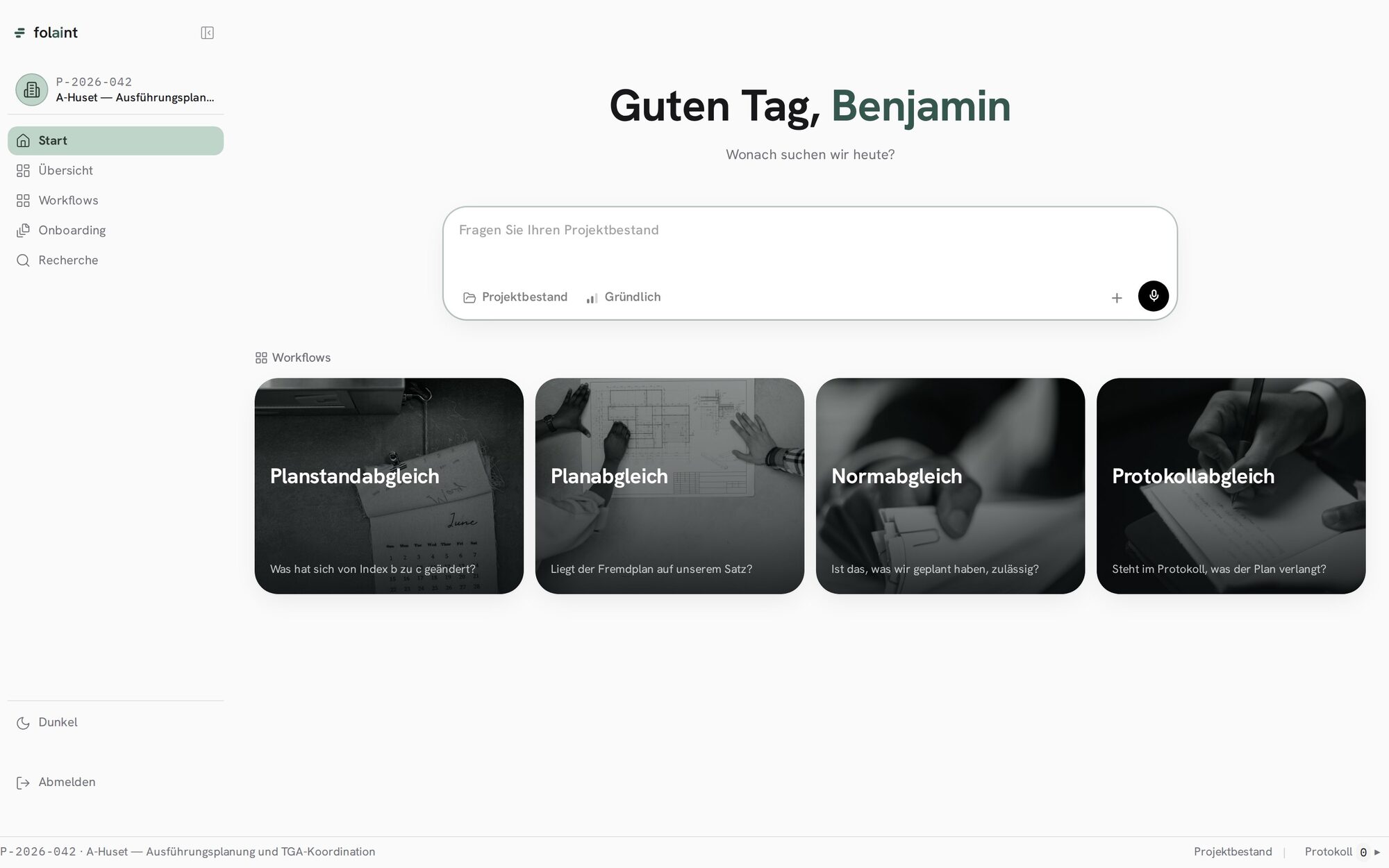
The home screen greets the engineer by name and asks what to look for. Below the question box are the workflows: what changed between two issues of the plan set, does a third party’s plan sit on our set, is what we planned allowed, and does the site protocol say what the plan demands. Nothing on this screen is empty and nothing has to be configured. The system has already read the project, so every workflow arrives with its scope filled in.
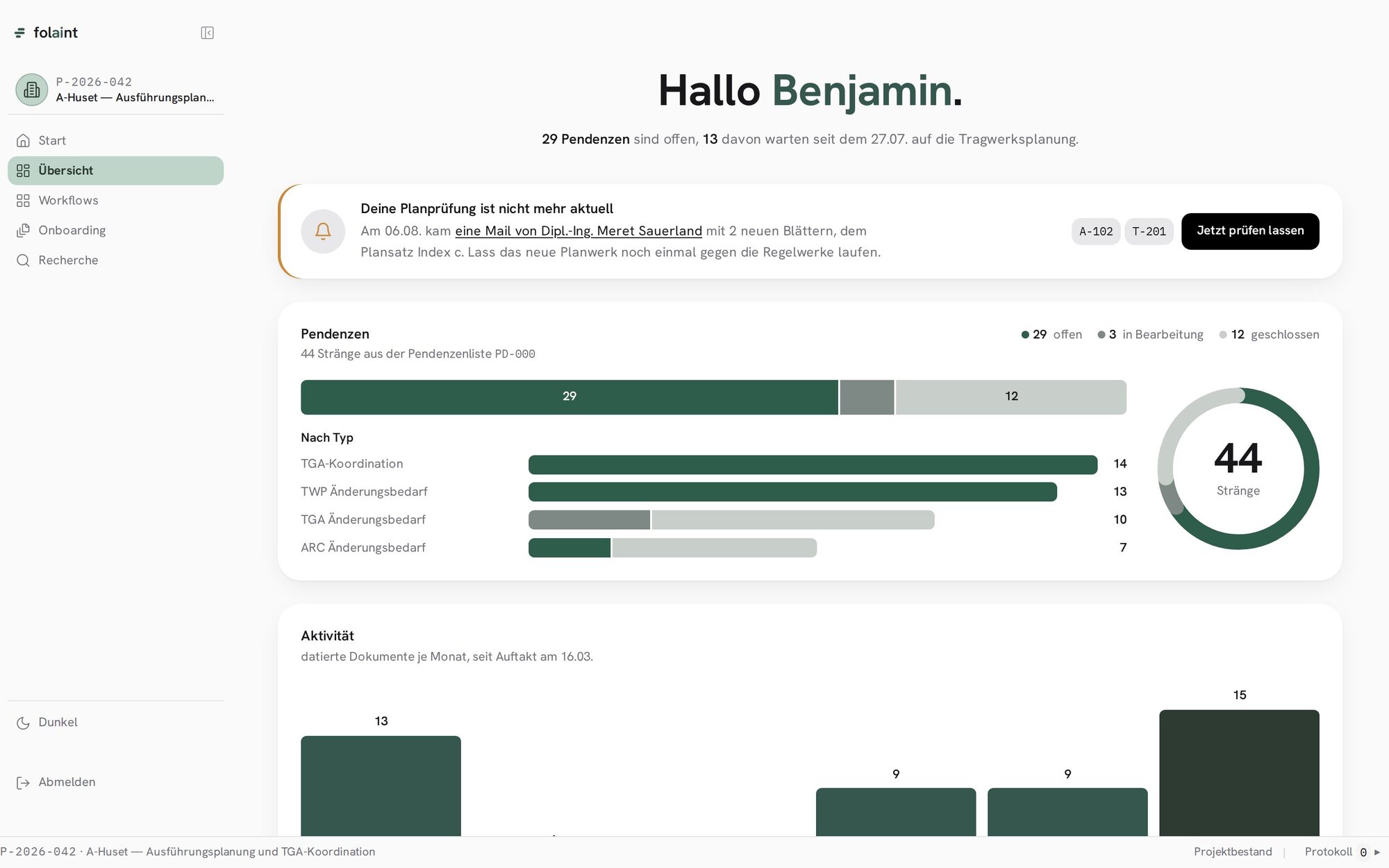
The overview is the same project seen as open items. It counts what is pending, who it is waiting on, and how long. When a mail arrives with two new sheets, the overview says that the last check is no longer current and offers to run it again on the new set. The engineer does not have to notice that a plan changed. The system noticed.
A component against the rules
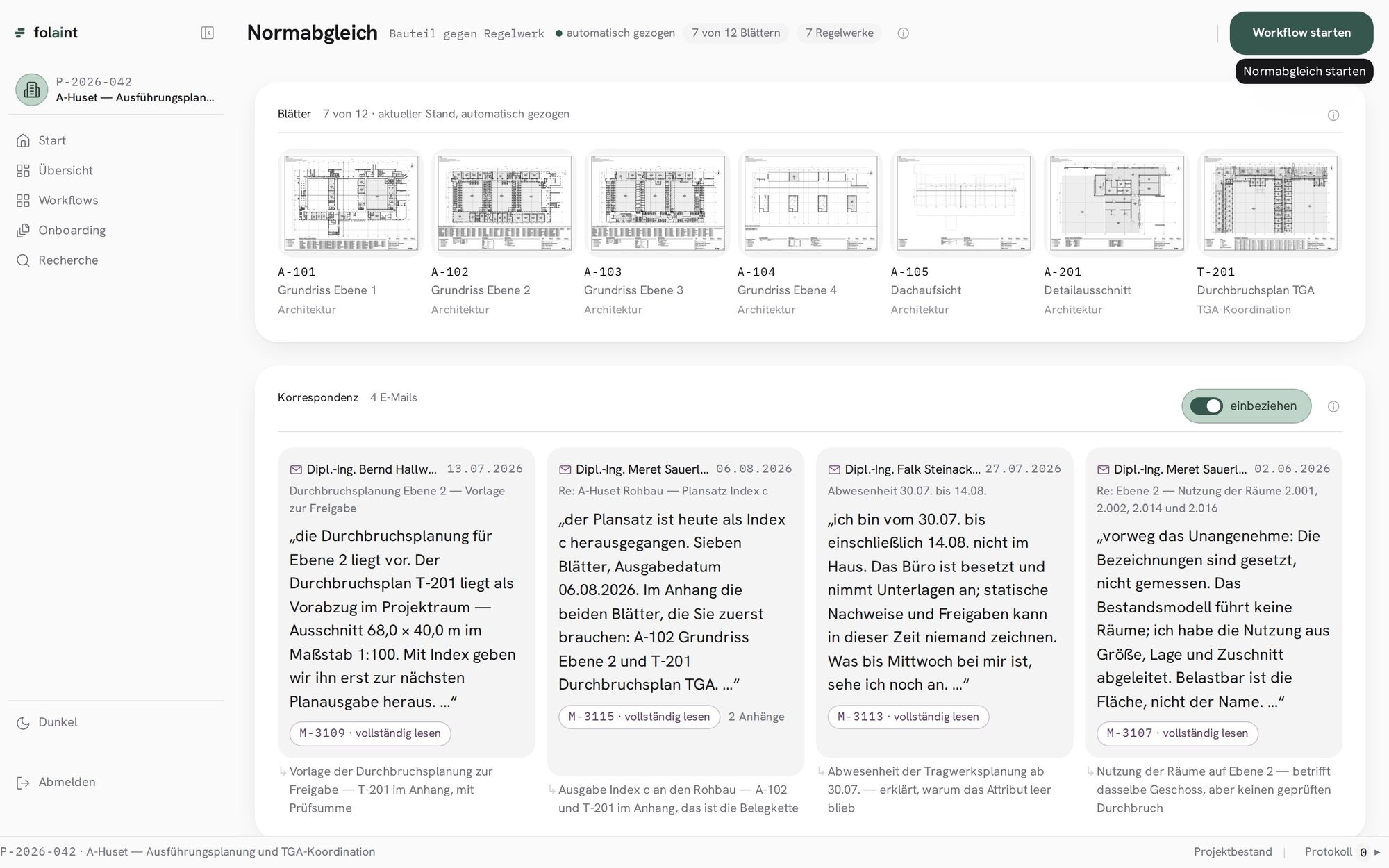
This is the backbone. The check screen shows the sheets it will examine, pulled automatically from the current issue, and next to them the correspondence that bears on them: the mail that issued the plan set, the mail that announced the structural engineer’s absence, the mail that explains why a field was left empty. Each is quoted in its own words with its reference number. The rule sets come in two columns. On the left, what is legally binding and cannot be deselected. On the right, the norms that would apply to this plan, each with a reason and a source, each deselectable. Where the correspondence contains a recommendation, it appears as a highlighted hint with the mail quoted, never as a pre-ticked box. The decision stays with the engineer, visibly.
The result is an index, not a reading assignment
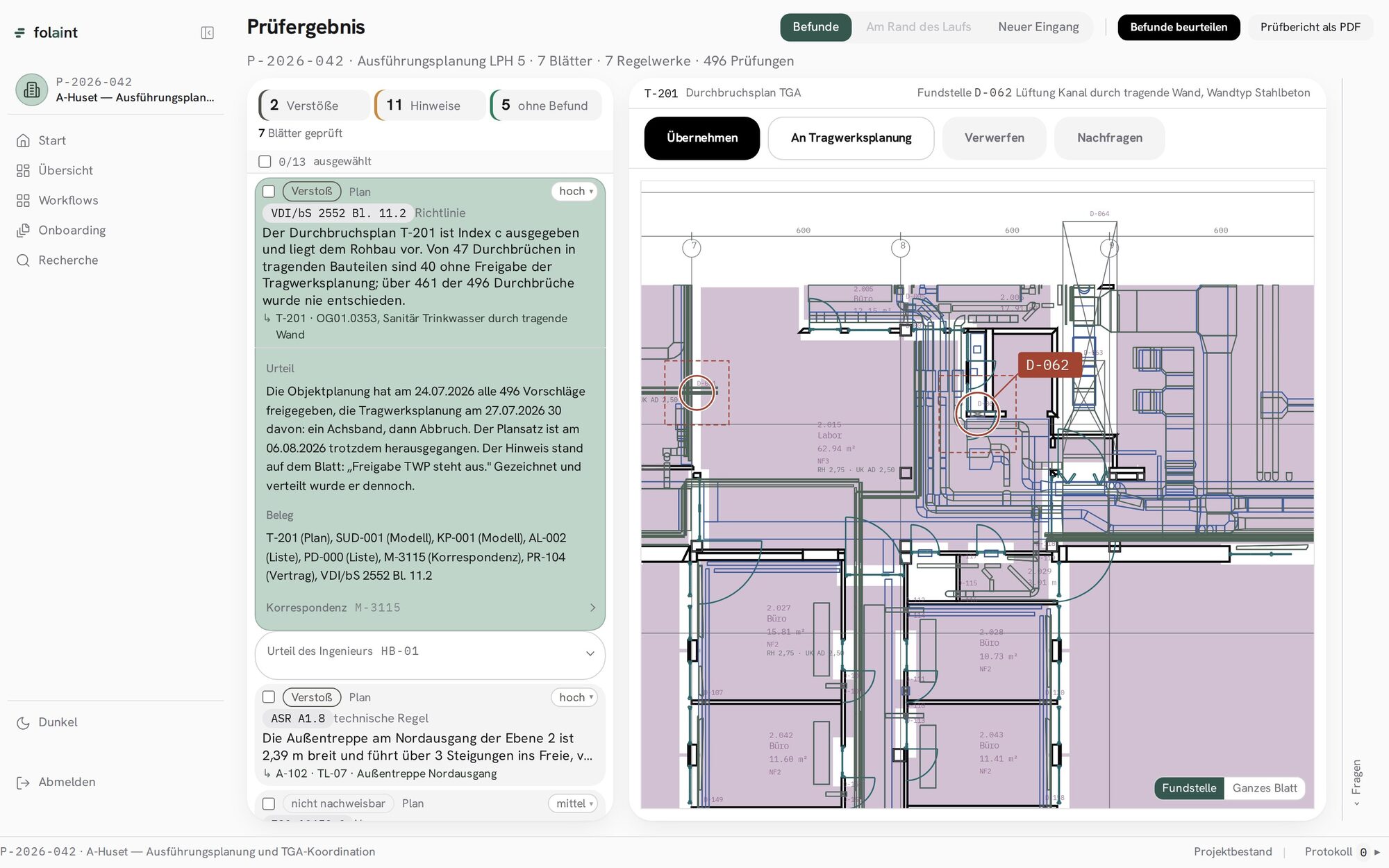
After the run: a counter and a list. Two violations, eleven notes, five sheets without findings, always as counts and never as percentages, because a percentage on this screen would read like a confidence, and confidences are not something we show. Each finding is one line: severity, rule, sheet, title. The leading finding is preselected and its plan is open on the right, with the position marked and the room label still readable. Under the finding stand its reasoning and its evidence: the plan, the model, the lists, the mail, the contract clause, the rule. Four buttons decide what happens to it.
One finding at a time, and a verdict that is remembered
The last screen is not a report. It is a decision. One finding fills the stage, its argument shown rather than told: the plan set went to the shell contractor, the approval field is empty on forty of forty-seven openings, here is the sample. Two statements, two seconds. The engineer confirms, dismisses with a reason from a short list, downgrades a norm from mandatory to optional for this office, or escalates it to a role with a deadline. Every verdict has a visible consequence in the same motion: the rule learned from it, and the count of relations in the project’s going up by one. The report as a PDF comes out of this screen, with the verdicts in it, and is what the engineer hands on.
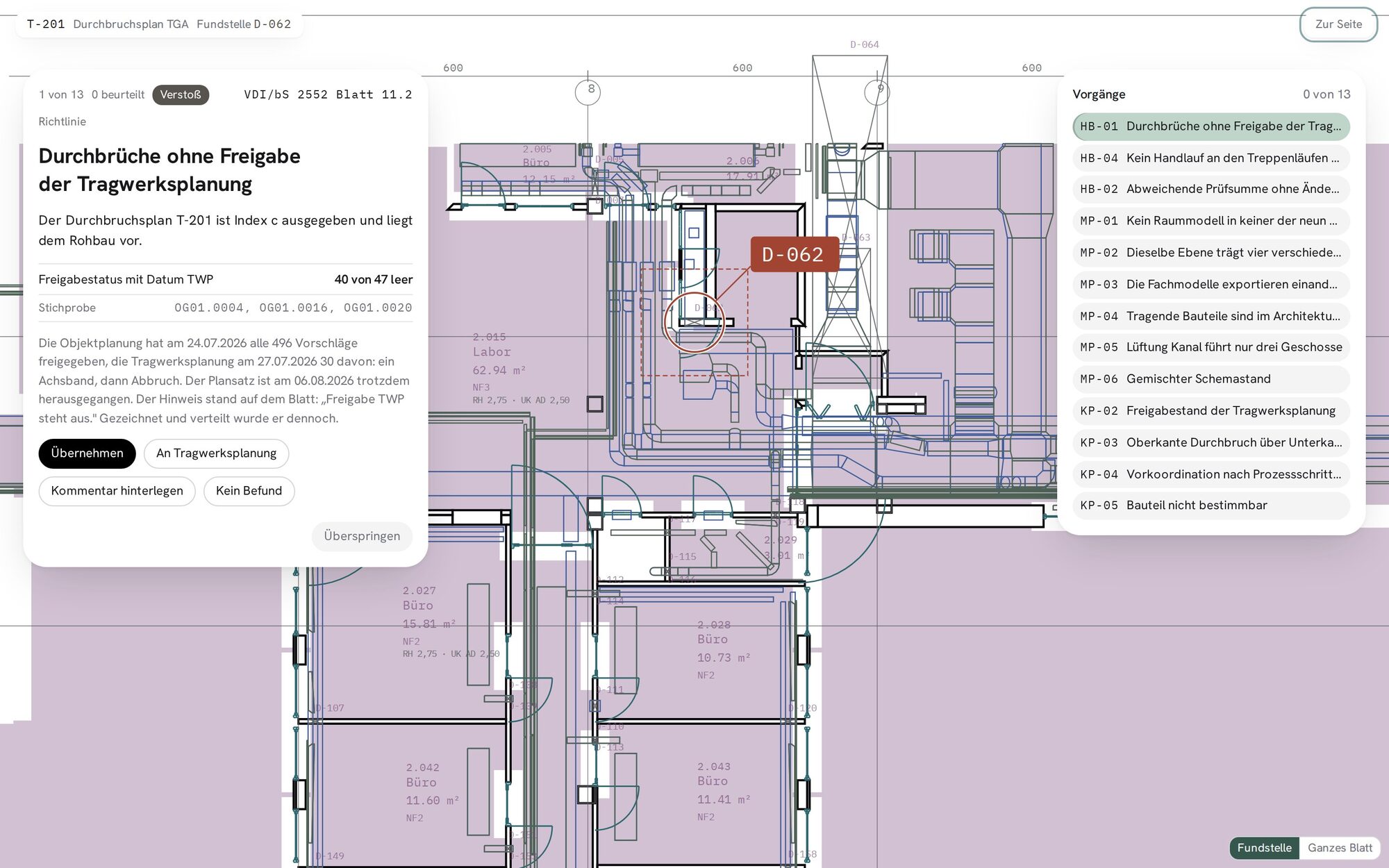
The last part of that sentence is the part we are still building: that the verdict flows back and changes the next run. The reading, the and the check run today. The learning loop is the reason the screen is shaped the way it is, and we show it because it is where this is going.
What changed, and what only looks changed
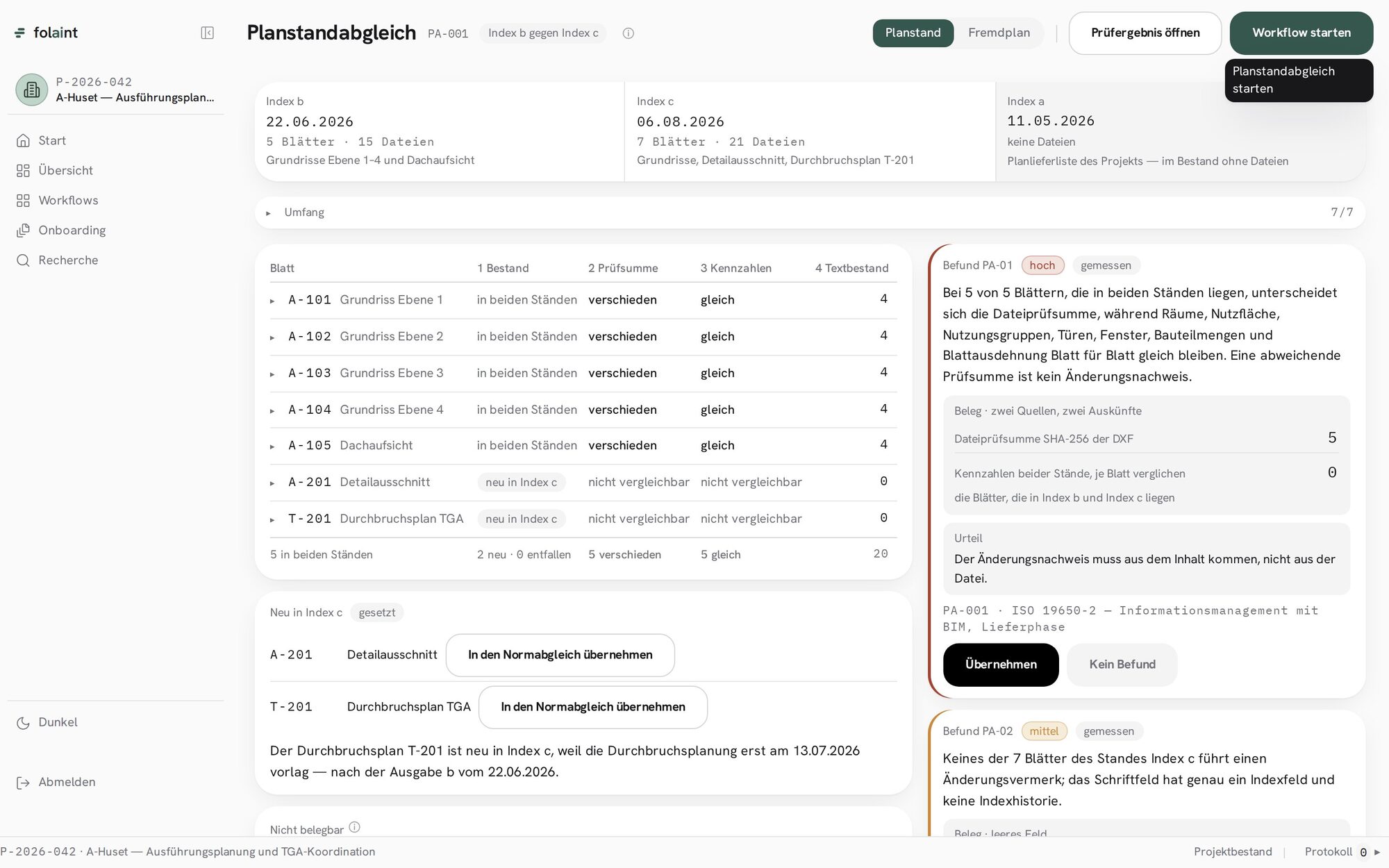
Comparing two issues of a plan set is the check every office runs and the one most tools do badly, with a red and green overlay that lights up everything. Ours measures instead. Five sheets exist in both issues. All five have a different file checksum. In all five, the rooms, the areas, the doors, the windows and the component counts are identical. Conclusion: the drawing did not change, four labels in the title block did. A different checksum is not proof of a change, and the finding says so in those words. What did change, two sheets new in the later issue, is set aside as such, with the mail that explains why they came late.
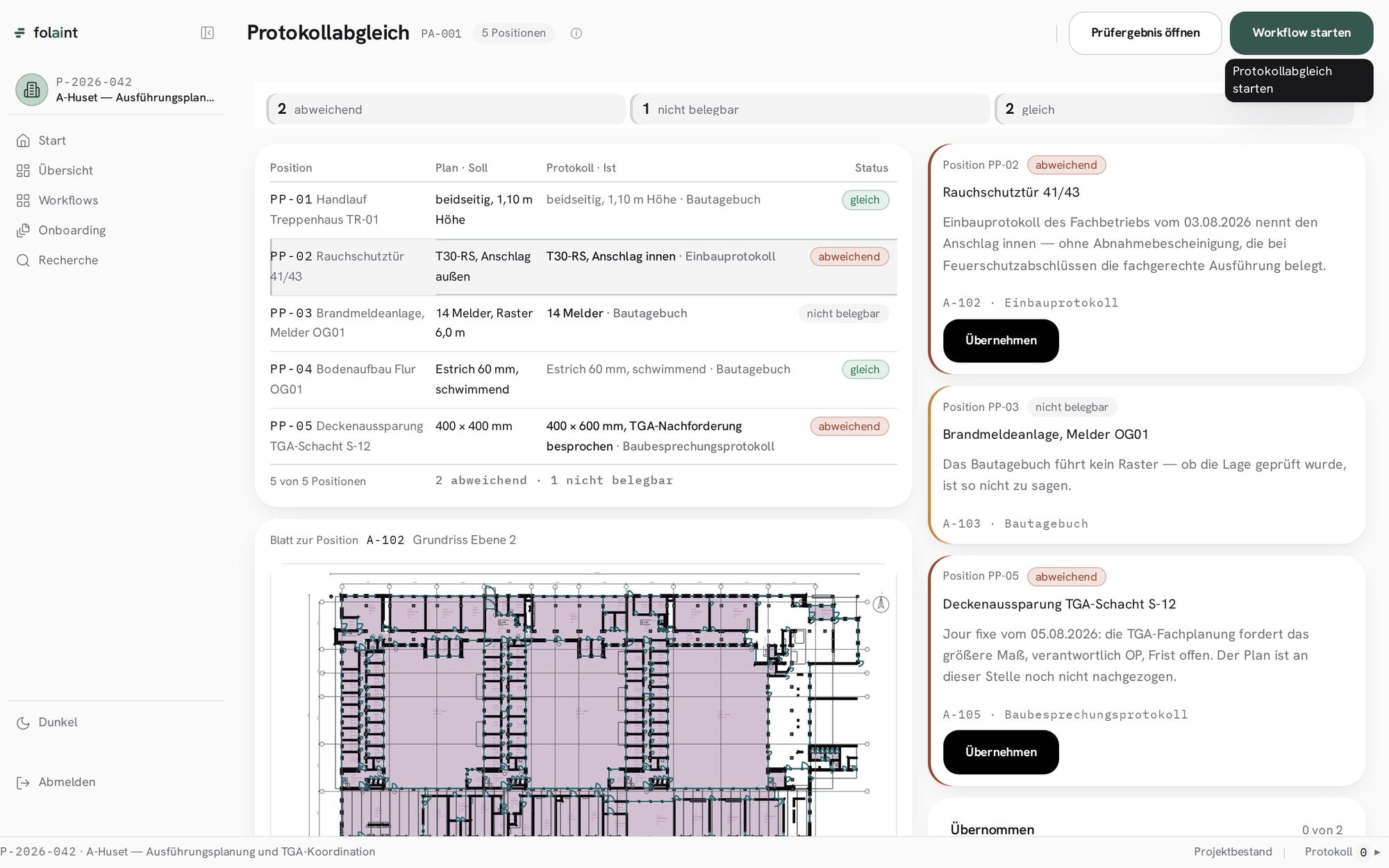
The same discipline applies to site protocols. The plan says what a position should be; the protocol says what was built or recorded. Five positions, two deviating, one not verifiable because the site diary records no grid. A fire door specified with the stop outside and installed with the stop inside is a deviation with a source, the installer’s report, and a consequence, the missing acceptance certificate. The engineer takes it over into the check or leaves it.
Asking, and catching up
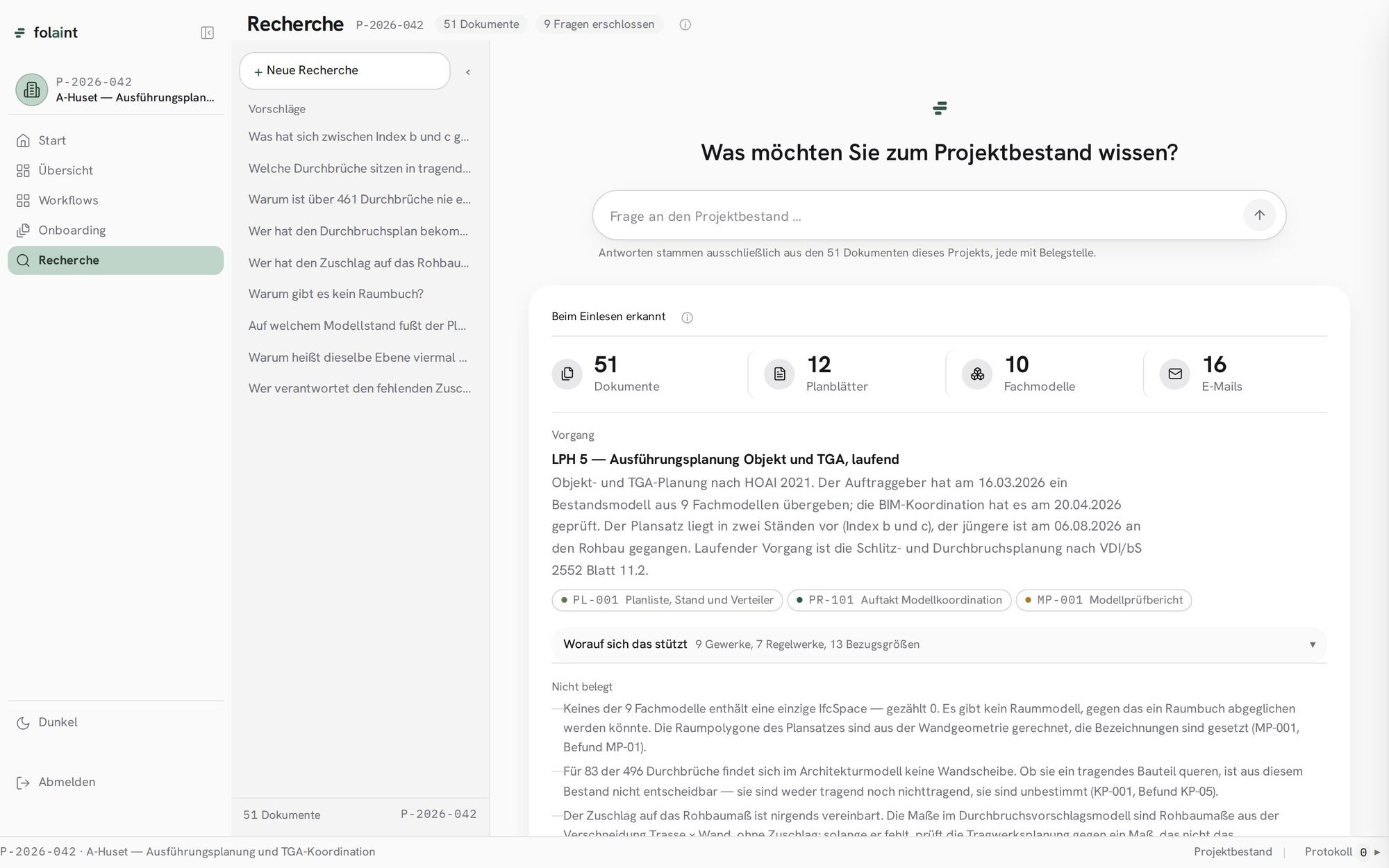
The question box on the home screen leads here. Answers come only from the project’s own documents, and every answer names its source. The first thing the system says about a project is what it recognised while reading it: how many documents, sheets, models and mails, which process the project is in, and, just as visibly, what is not documented. That last list is the one an experienced engineer reads first, because it is where the risk sits: no room model in any of the nine discipline models, eighty-three openings whose wall cannot be classified, a surcharge on the shell dimension that was never agreed.
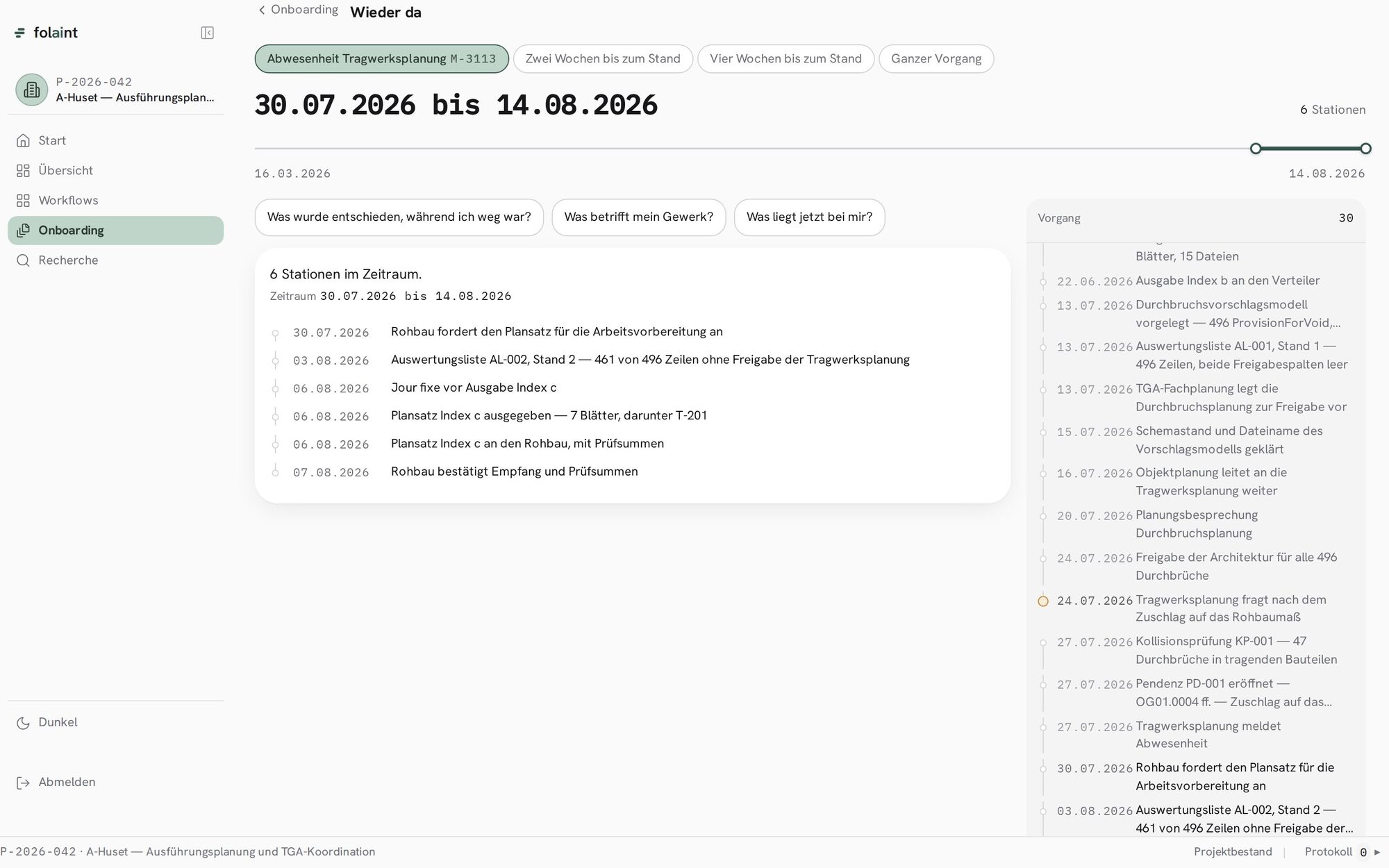
Catching up is the case from every customer conversation: two weeks away, no idea what happened. The engineer picks the period on the project’s real timeline, then one of three questions: what was decided while I was away, what concerns my discipline, what is now on my desk. The answer is the stations in that period, each dated, each a document. No free text is typed anywhere on this screen.
What is different about it
Three things, and they are the same three on every screen. Every finding is built from three artefacts at once: the plan that shows it, the mail that explains it, and the rule it violates. A norm check alone cannot do that, and neither can a document search. Every number is a count with a source, never a percentage and never a confidence. And every decision the engineer makes is written down with a role and a time, and is meant to change what the system does next. The product does not replace the engineer’s judgement. It brings the evidence to the judgement, and it remembers the judgement.
More from the blog